
Paper payslips
- Print, cut and distribute
- Manual receipt collection
- Easy to misplace
Digital payslips for HR & Finance
Keep the Excel workflow your HR team already knows. Send digital payslips to 10,000+ employees in as little as 3 seconds, with automated delivery and acknowledgment receipt tracking.
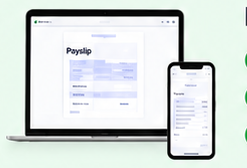
 Ant PayslipExcel payroll to individual payslips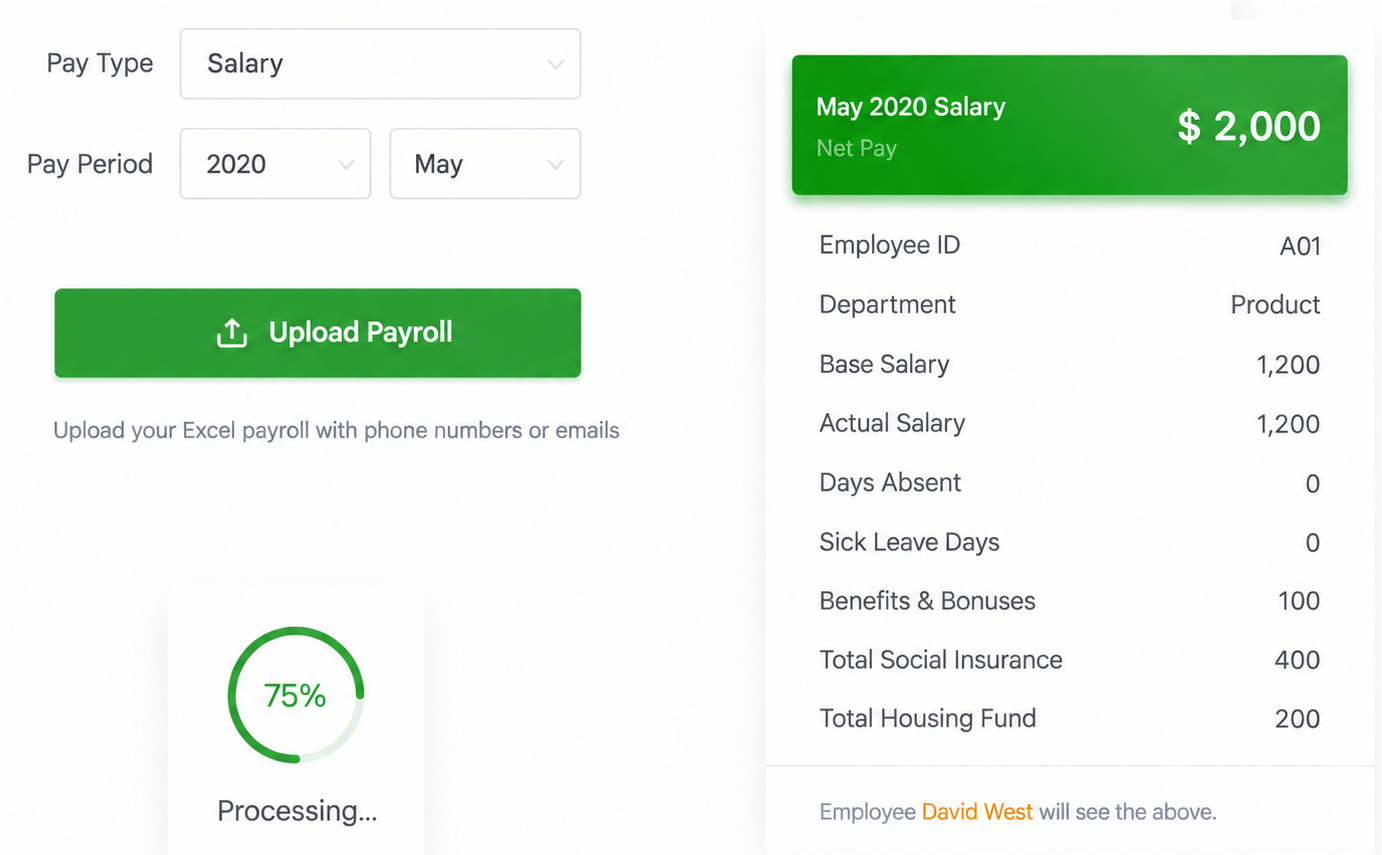
Give employees a clear, accessible record of their pay.
Product workflow
Follow the complete Ant Payslip process through eight practical capabilities. Every screen below uses the English product interface.
Prepare & deliver
Start with the spreadsheet you already use. Select the pay type and period, upload payroll data, and preview exactly what each employee will receive.
Prepare & deliver
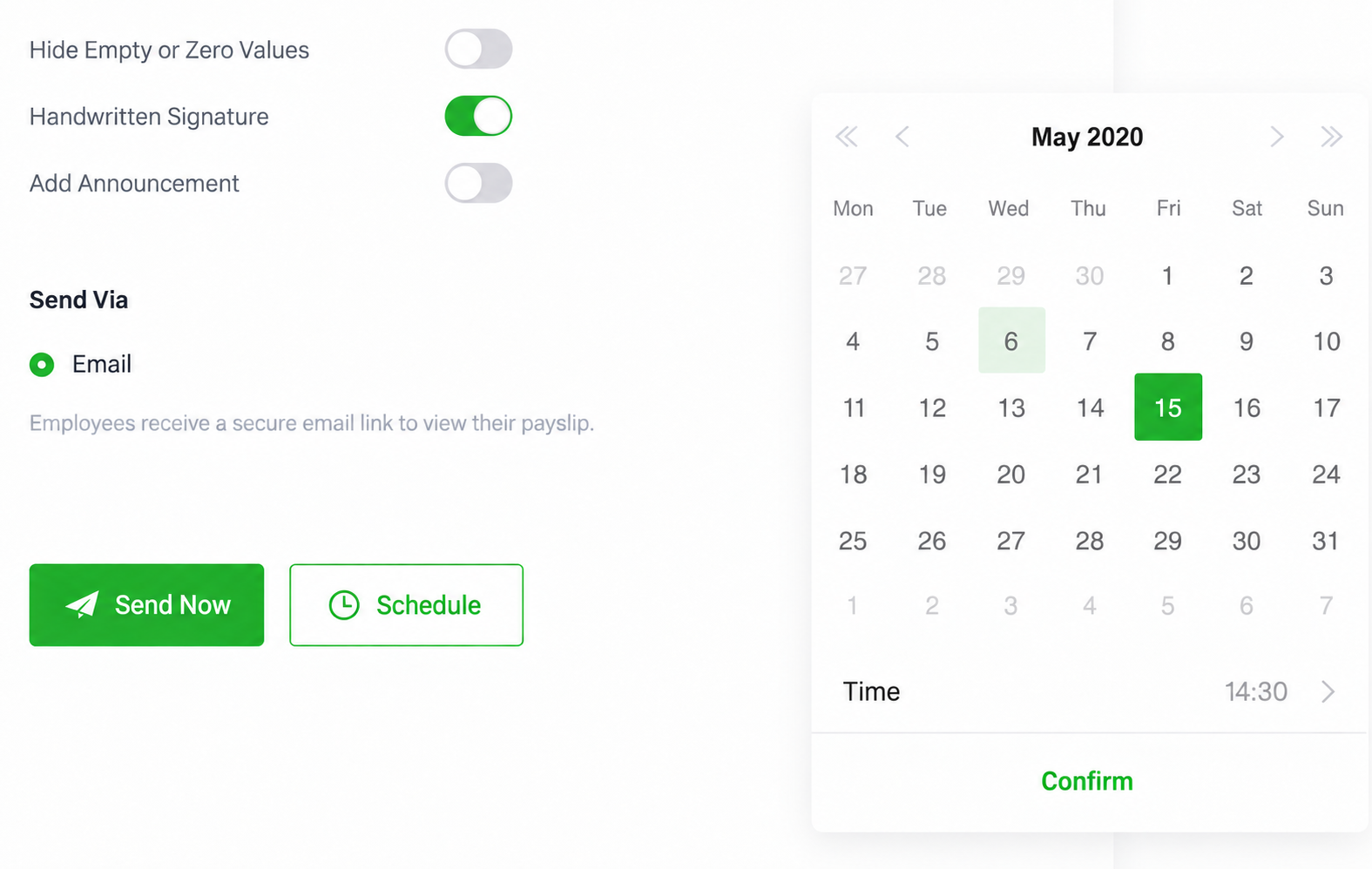
Send payslips by email immediately or schedule a date and time, and apply signature or announcement settings before delivery.
Prepare & deliver
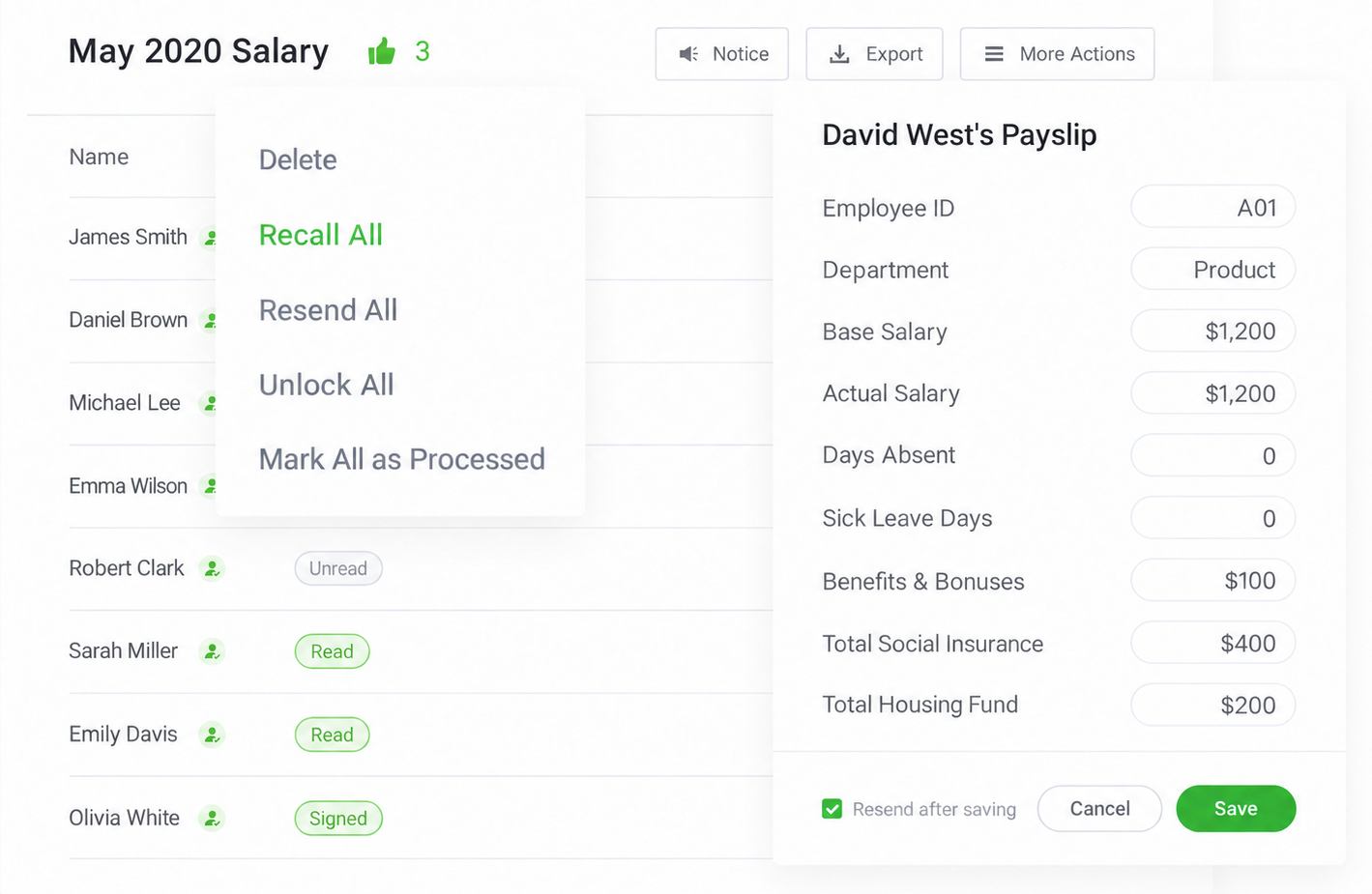
Recall an entire batch, update an employee’s pay details, then save and resend the corrected payslip without rebuilding the payroll run.
Manage & confirm
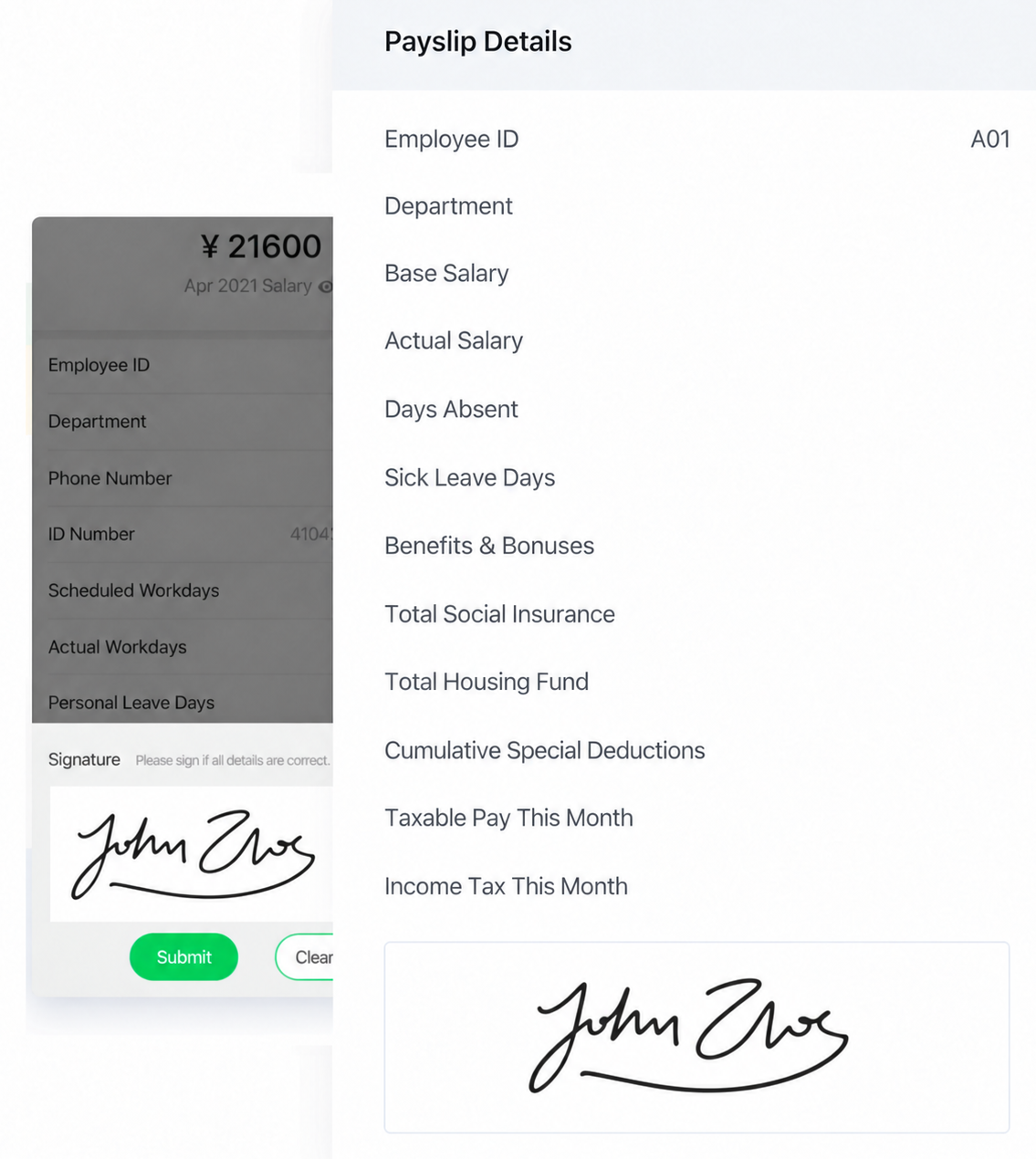
Let employees review their pay details and sign directly on the payslip. HR can collect a clear digital acknowledgment alongside each record.
Manage & confirm
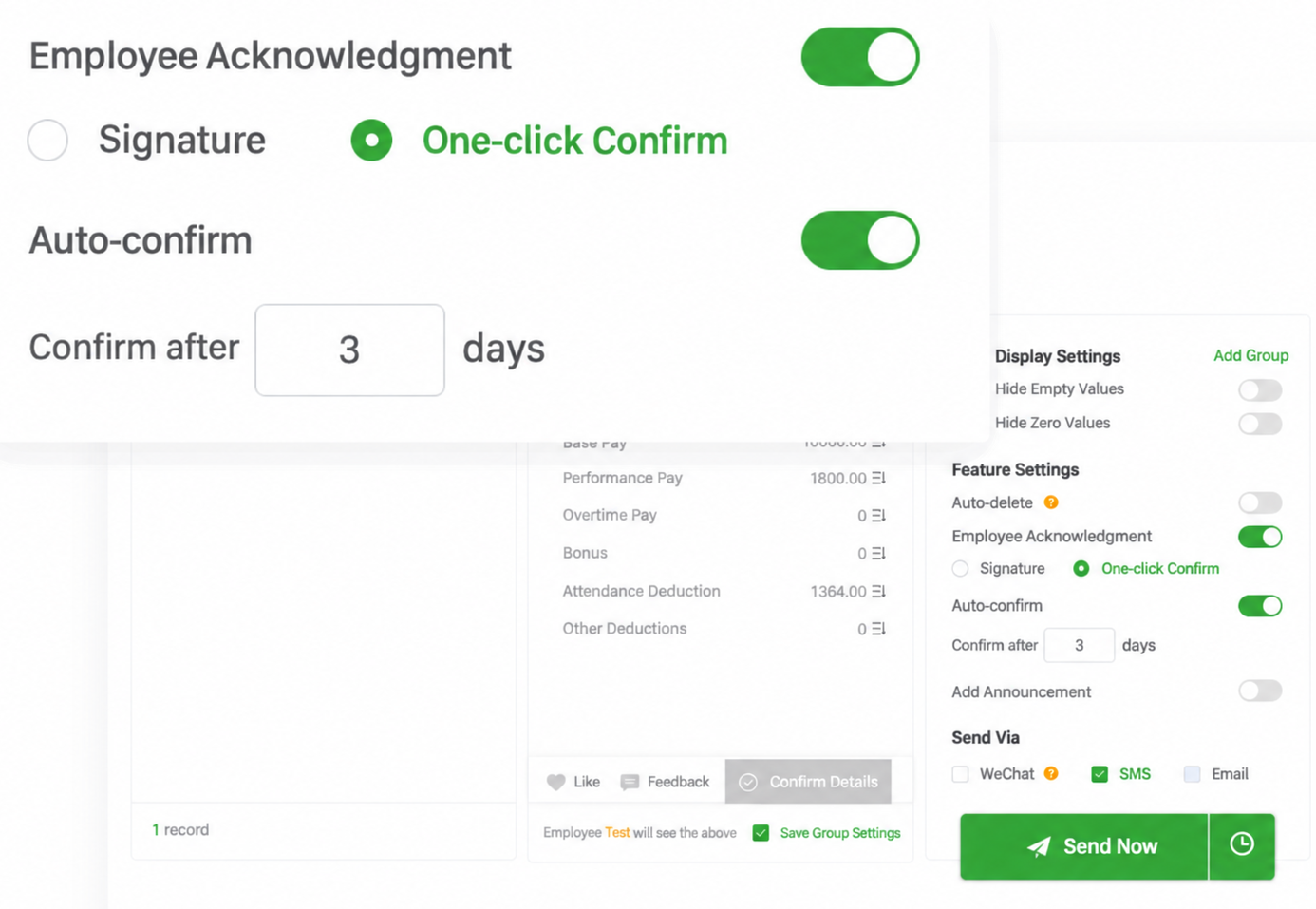
Use a lightweight confirmation option when a signature is unnecessary. Auto-confirm can close the loop after a defined number of days, with settings configured flexibly to match your needs.
Manage & confirm
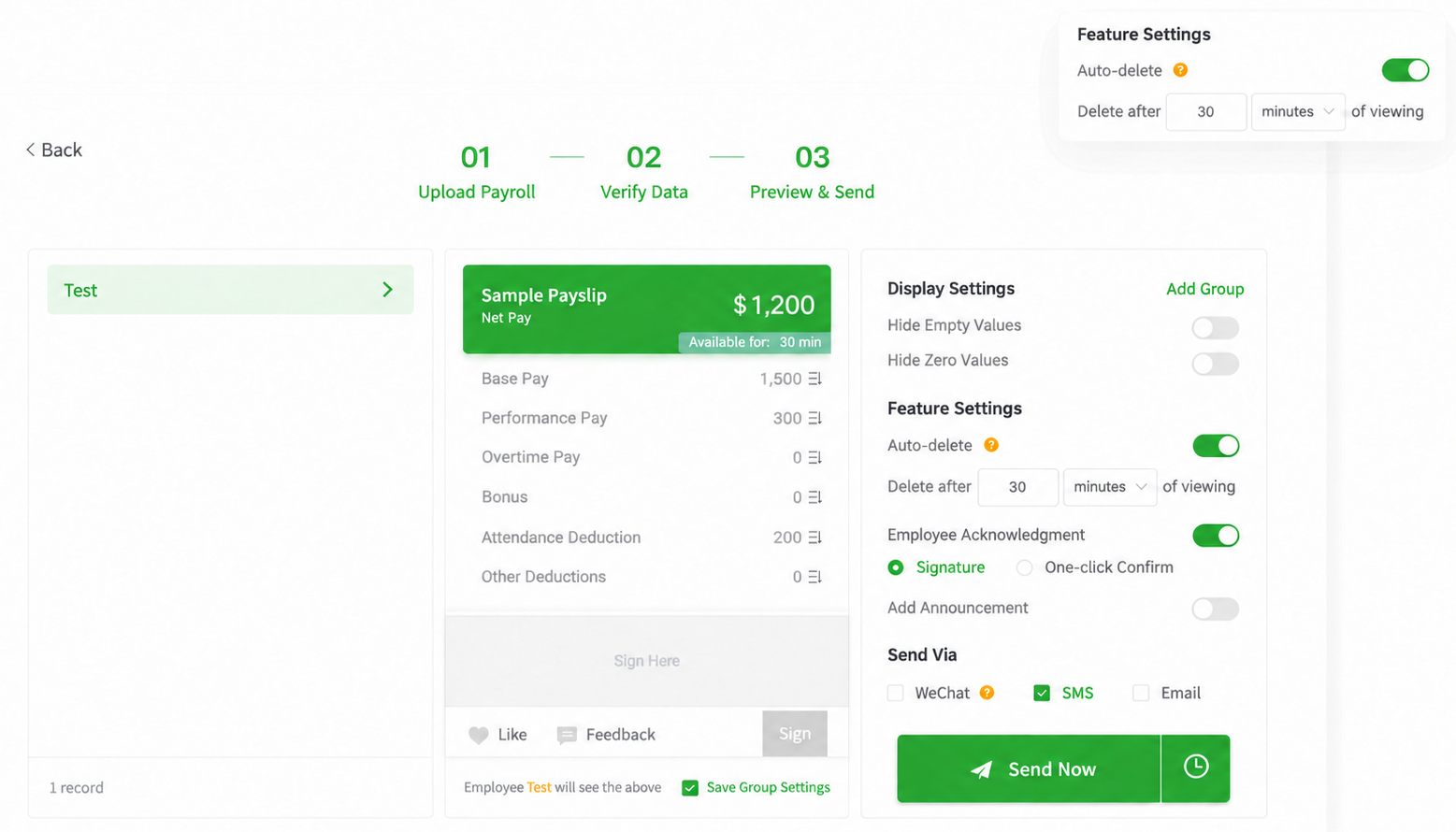
Set payslips to delete automatically after they have been viewed for a chosen period. Access and acknowledgment settings can be configured flexibly to match your needs.
Manage & confirm
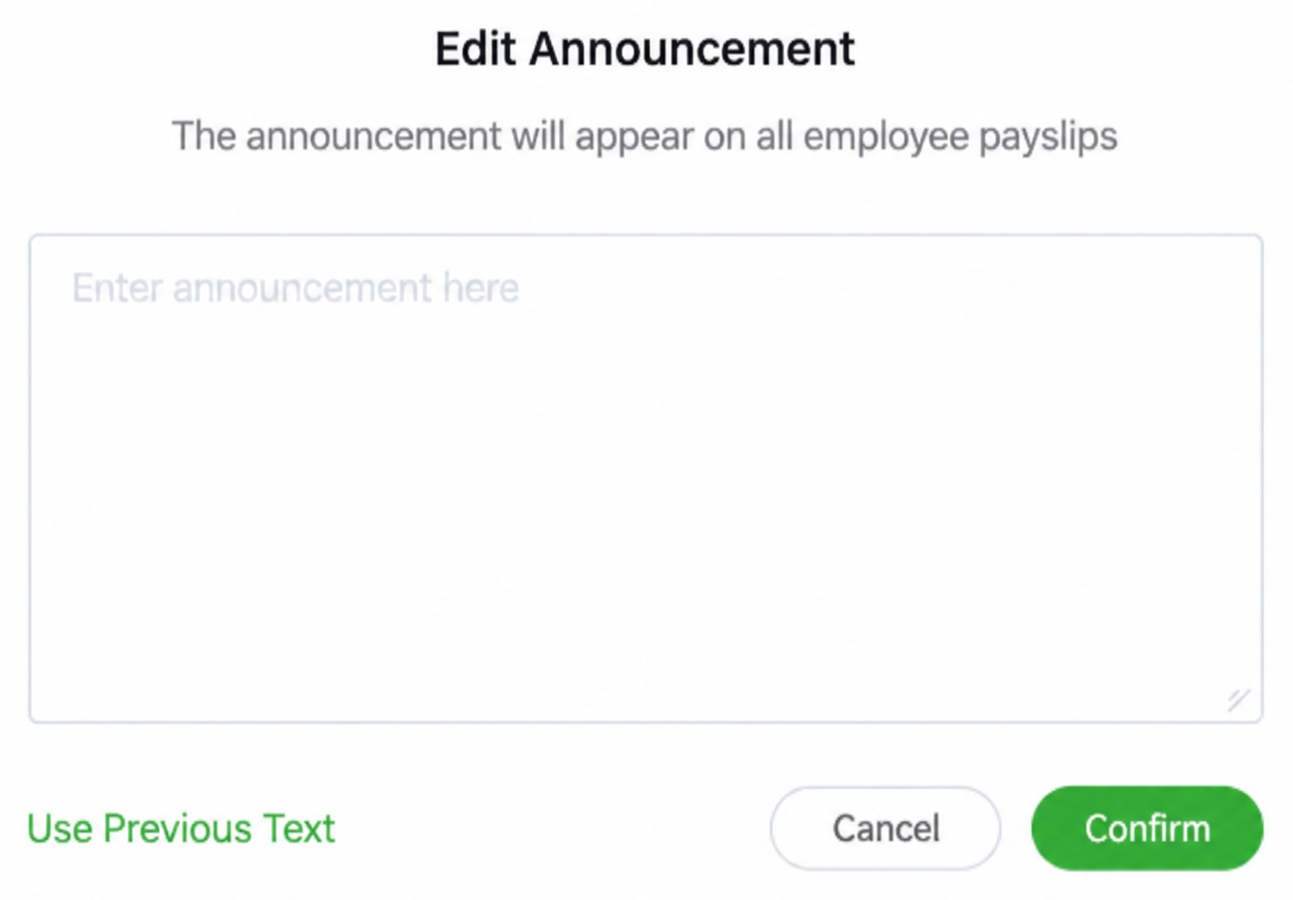
Add a clear announcement to every employee payslip in the batch. Reuse previous text to keep recurring payroll messages consistent.
Protect
Protect payroll information throughout the process with controlled access, secure transfer and privacy settings designed for sensitive employee data.

Import and preview payroll.
Send now or schedule.
Recall, edit and resend.
Track acknowledgment.
Secure sensitive data.
Security
Protect payslip access throughout your delivery workflow.
SSL-protected connections
Layered protection
Secure cloud infrastructure
Solutions
Explore workflows for your team and your delivery needs.
For a Shanghai primary school with more than 130 staff members, every payslip run required time-consuming checks and individual follow-up. This is how its HR team simplified the process.
Explore solutionFor a state-owned copper producer with more than 1,000 employees across multiple plants, finding a reliable payslip process became an eight-year journey.
Explore solutionWith 300–400 staff working across departments and mismatched shifts, a Hangzhou general hospital needed a more dependable way to deliver confidential payslips.
Explore solutionA large workforce and nationwide sales network turned payslip delivery into a scale problem for this national frozen-food enterprise.
Explore solutionNumerous subsidiaries, dispersed project sites and frequent staff movement made payslip delivery a complex coordination problem for this central SOE engineering bureau.
Explore solutionFor a Shenzhen F&B company with 300–400 employees across every age group, payroll rework and error handling made each payslip run harder than it needed to be.
Explore solutionFrequently asked questions
Clear answers about uploading payroll, delivering payslips, employee access, security and getting started.

Yes. Upload your payroll sheet in any format. Ant Payslip detects the fields automatically, and you can preview everything before sending.
Read the full answerNo. You provide the final pay figures in your spreadsheet; Ant Payslip securely delivers each payslip to the correct employee.
Read the full answerIrrelevant columns are detected and ignored automatically, while zero-value items are hidden by default to keep employee payslips clear.
Read the full answerEach employee receives an email with a secure, one-time link to view or download their payslip as a PDF. No app or employee account is required.
Read the full answerYes. Employees can view their own payslip history, and administrators can export distribution records when they are needed.
Read the full answerYou can resend the payslip with one click and check whether the message was delivered or opened. The employee should also check their spam folder.
Read the full answerYes. Upload the payroll early, choose a send time, and schedule payslips to arrive on payday in each employee’s local time zone.
Read the full answerPayslips can be generated in English, Vietnamese, and Indonesian from the same payroll source and matched to each employee.
Read the full answerVoid the incorrect payslip and immediately reissue a corrected version. Each action is logged so the change remains traceable.
Read the full answerYes. Every account starts with a one-month free trial so you can upload a real spreadsheet, send test payslips and evaluate the workflow.
Read the full answerBuilt to simplify payslip
delivery since 2016.